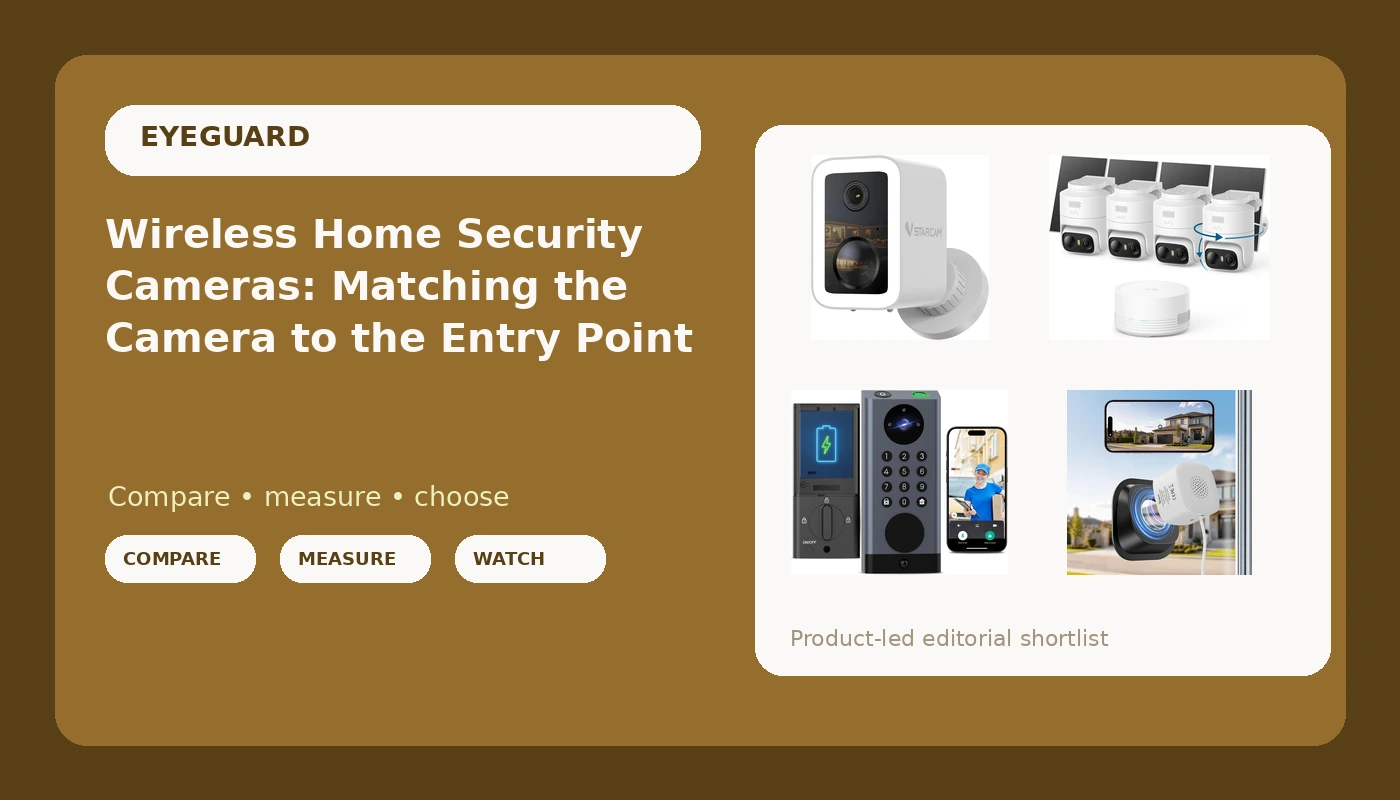
Most people buy their first security camera the way I bought mine: from a deals email, with a two-day shipping promise and a mounting bracket that never left the box. Then something happens at 3 AM, and you find out the camera was aimed at the wrong door, or that the clip you saved is a dark shape with no face in it. Wireless home security cameras are sold as if they were one product category, but they are really four or five different jobs sharing a name. A camera watching a driveway from behind a window is solving a different problem than a four-camera kit covering a whole yard, and both are solving a different problem than a deadbolt that also answers your front door. The useful question is not which camera is best. It is which entry point you are watching, and what happens to the footage after it records.
Related: How to Test Night Vision Face Range Before You Buy →
Quick answer
Pick the camera by entry point, not by spec sheet. A multi-camera kit is the practical choice when several sides of a house need coverage and you want one system managing all of them. A no-drill outdoor camera suits renters and anyone unwilling to put screws into siding. A window camera covers a driveway or street view from inside the glass, with no exterior hardware at all. A smart lock with a built-in camera and doorbell covers the front door, where package theft and forced entry tend to happen. Whatever you choose, confirm where the footage is stored and what it costs to keep it before you buy.
Four useful options
| Model | Best fit | What stands out |
|---|---|---|
| eufy Security eufyCam C37 4-Cam Kit, 360° Pan&Tilt Auto Tracking | Covering several sides of a property at once | Four-camera kit format with 360° pan and tilt auto tracking |
| VSTARCAM 2K Security Cameras Wireless Outdoor, No-Drill Magnetic & Adhesive Mount, Free Cloud & SD Storage, WiFi 6 2.4/5G Dual Band, Motion Alerts, 6-Month Battery, Color Night Vision, IP66,2-Way Talk | Renters and no-drill installs | Magnetic and adhesive mount, plus both cloud and SD storage options |
| SONOFF CAM GlassView 3MP 2K Window Camera with Local Web Console CAM-S3W | Driveway or street coverage from inside a window | Built to shoot through glass, with a local web console for access |
| Smart Lock with Camera & Video Doorbell eLinksmart Keyless Entry Deadbolt with PIR Motion Detection, Built-in WiFi No Hub, Fingerprint Keypad Tuya App Alexa, 365-Day Battery, for Front Door | The front door, lock and video in one device | Combines keyless deadbolt, fingerprint keypad, camera, and doorbell |
Whole-home coverage: eufy Security eufyCam C37 4-Cam Kit, 360° Pan&Tilt Auto Tracking
The trade-off with a kit is arithmetic. Four cameras cost more than one, they need four mounting decisions, and if they run on batteries they need four recharge schedules. What you get in return is the thing that actually solves most break-ins: overlap. A single camera sees one approach. A kit can cover the side gate, the back door, the driveway, and the corner where a person would have to pass between them. Before buying any multi-camera system, walk your property at night and count how many separate paths lead to a door you care about. If the answer is more than two, a kit is usually the more honest purchase than one very good camera pointed at one angle.
Renter-friendly outdoor: VSTARCAM 2K Security Cameras Wireless Outdoor, No-Drill Magnetic & Adhesive Mount, Free Cloud & SD Storage, WiFi 6 2.4/5G Dual Band, Motion Alerts, 6-Month Battery, Color Night Vision, IP66,2-Way Talk
Adhesive mounts are the answer for anyone renting, and they are also where a lot of cameras fall off in a Seattle winter. Check the surface first: clean siding holds differently than painted trim, and cold temperatures make some adhesives brittle. The six-month battery figure is a claim worth reading carefully, because it usually assumes a low number of motion events per day; a camera watching a busy sidewalk will need charging far sooner. And when a listing says free cloud storage, find out what free actually means in hours of retention and whether you can download the clips. If the answer is a short window you cannot export, treat the SD card as the real storage plan and the cloud as a bonus.
Window view: SONOFF CAM GlassView 3MP 2K Window Camera with Local Web Console CAM-S3W
A camera behind glass solves three problems at once: no drilling, no weather exposure, and no one can reach up and pull it down. It creates one problem you have to manage, and that problem is glare. At night, infrared light bouncing off the inside of a window will wash out the image, which is exactly the blurry raccoon effect that makes footage useless. Place the camera as close to the glass as possible, kill any interior light behind it, and check the view at night before you commit to that spot. If the window has a screen, expect the mesh to soften detail. Glass-mounted cameras work best when they are aimed at a fixed approach path, like a driveway or a gate, rather than trying to cover a whole yard.
Front door: Smart Lock with Camera & Video Doorbell eLinksmart Keyless Entry Deadbolt with PIR Motion Detection, Built-in WiFi No Hub, Fingerprint Keypad Tuya App Alexa, 365-Day Battery, for Front Door
The front door is where the most common losses happen, and it is also the hardest place to mount a camera, because a camera above a door looks at the top of a visitor's head. A lock with the camera built in puts the lens at door height, which is usually better for faces than a high mount. Understand what you are buying, though: this is a lock first and a camera second. A deadbolt with a camera does not watch your driveway, it does not record your side gate, and its field of view is limited to the immediate doorstep. If your concern is packages disappearing from a porch, this covers it. If your concern is someone coming over the back fence, it does not.
Prices and availability may change. Product images, names, and retailer links are matched to verified listings. No current price, rating, stock status, or measured result is stated here without current evidence.
Why night face ID matters more than resolution
Every camera box leads with resolution, and resolution is the least important number for home security. What matters is night ID range: the distance at which the camera captures a face clear enough to hand to a detective. That is a different measurement from "sees in the dark," and it is almost never printed on the box. A 2K or 4K sensor can still produce an unusable face at 20 feet if the infrared illuminator is too weak, or if the camera is mounted too high and pointed down at a hat brim.
The practical version of this test is simple and you can run it the day a camera arrives. Have someone stand at 10, 20, and 30 feet from the camera in full dark, wearing a hood or a hat, and walk toward the door. Then pull the clip and ask whether you would recognize that person. If the answer is no at 20 feet, the camera's job is detection, not identification, and you should either move it closer to the approach path or accept that it will tell you something happened without telling you who did it. Mounting height is the variable people control most easily: chest to head height, angled slightly across the approach, beats a high corner mount almost every time.
Where your footage actually lives
Storage is the part of the purchase that keeps costing money after the box is open. There are three common arrangements, and they behave differently when you actually need a clip.
Local storage means an SD card or a recorder in your own house. There is no monthly fee, the footage stays under your roof, and nobody else's request can quietly remove it. The catch is physical: a camera on a wall can be stolen along with its card, so a card inside a camera you cannot reach is safer than one at ground level.
Cloud storage means clips go to the vendor. It is convenient, it survives a stolen camera, and it usually comes with a retention window and a subscription once the trial ends. When a listing advertises free cloud storage, the honest questions are how many days of clips you get and whether you can download them.
Hybrid setups use both, and that is often the smartest arrangement: card for continuous local recording, cloud for the events you would want to keep even if the hardware walks away.
- Walk your property after dark and list every path that reaches a door you care about.
- Measure the distance from each candidate mounting spot to the spot where a person's face would be at 20 feet.
- Decide storage before hardware: card, cloud, or both, and what the subscription costs over three years.
- Check the mount against your walls and your lease, since adhesive and magnetic mounts are not right for every surface.
- Pick the camera that fits the entry point you identified first, not the one with the biggest numbers.
Practical guidance
- Mount at chest to head height angled across an approach path, not high in a corner looking down at hats.
- Overlap coverage where you can, because one camera watching one angle leaves a gap a person can walk around.
- Test the camera's night view on day one, before you finalize the position, and move it if faces wash out.
- Check what "free" storage actually includes: retention length, download rights, and what happens after the trial.
- Keep the mounting surface in mind, since cold weather and rough siding both change how well an adhesive holds.
Which option should you choose?
Choose the eufy Security eufyCam C37 4-Cam Kit, 360° Pan&Tilt Auto Tracking when you need several sides of a property covered and want one system managing the whole set. Choose the VSTARCAM 2K Security Cameras Wireless Outdoor, No-Drill Magnetic & Adhesive Mount, Free Cloud & SD Storage, WiFi 6 2.4/5G Dual Band, Motion Alerts, 6-Month Battery, Color Night Vision, IP66,2-Way Talk when you rent, cannot drill, or want an outdoor camera you can reposition without tools. Choose the SONOFF CAM GlassView 3MP 2K Window Camera with Local Web Console CAM-S3W when the best view of your approach is through a window and you would rather keep hardware indoors. Choose the Smart Lock with Camera & Video Doorbell eLinksmart Keyless Entry Deadbolt with PIR Motion Detection, Built-in WiFi No Hub, Fingerprint Keypad Tuya App Alexa, 365-Day Battery, for Front Door when the front door is the priority and you want keyless entry and doorstep video from one device.
One caveat applies to all four: the listing tells you what the hardware is designed to do, not what it will do in your specific yard, on your specific WiFi, at your specific mounting height. Verify the features you actually care about against the current listing, and treat battery life, night range, and free storage claims as claims until you confirm them yourself.
The bottom line
The camera that helps is the one mounted where a person has to pass, close enough to capture a face at night, with footage stored somewhere you control. Start by identifying the entry points that worry you, then match hardware to those points instead of buying the model with the loudest spec sheet. A four-camera kit buys overlap. A no-drill camera buys flexibility. A window camera buys an unobstructed indoor mount. A camera lock buys the front door and nothing else. Get the placement right first, and almost any of these will do more for you than a better camera pointed at the wrong spot.