Most people who end up with useless camera footage did not buy a bad camera. They mounted a good camera in a bad spot. That is the whole failure mode, and it is why this guide exists: a wireless home security camera setup is a mounting and aiming problem long before it is a hardware problem.
I learned that in February, at 3:07 AM, when someone pried open the side door of my garage in Seattle and walked out with two bikes, a toolbox, and my late father's camping gear. The camera I had bought the week before recorded 22 minutes of a blurry raccoon and a dark shape that never once became a face. The detective was polite about it. "No face, no case." The insurance company watched the raccoon and denied most of the claim.
So this is the guide I wish I had read that week. Two pieces of hardware, no wiring, no drilling, no subscription, and a mounting plan that puts the camera where it can identify someone instead of merely detecting that something moved.
Why you should trust me
I run the neighborhood watch group here, the one where every neighbor texts me a photo of a stranger at 11 PM and asks whether their camera should have caught it. I keep a notebook I call The Garage Log, and everything I mount on my own garage and backyard fence gets logged in it: night face identification walked out at 10, 20, and 30 feet, false alerts counted over a full week, and the three-year cost written next to the hardware price before I open my mouth.
I have been wrong about a camera in public and corrected it in public. That is the standard. A camera that cannot hand a detective a face is decoration with a blinking LED, and I would rather tell you a unit is wrong for your house than sell you a feeling of safety.
How I picked, and what I did not verify
Let me be straight with you, because this is the part most buying guides bury. The two units below are the ones that fit this specific job, a no-drill, no-subscription setup for a house or apartment where you are not running cable. I am describing them from their published specs and from what this category of hardware does well.
I have not run my full 10, 20, and 30 foot night identification walk on either one in my own yard, so I am not going to quote you a night range I did not measure. What I can give you is the framework I apply to every camera, and the exact test to run on your own property in week one. That test takes twenty minutes and it is worth more than any spec sheet.
The four questions I ask about any camera before it earns a spot on my fence:
- Can it identify a face at 20 feet at night, or does it just detect motion? Detection without identification gives you a clip of a dark shape and a detective who cannot help.
- What does it really cost over three years, subscription included? The hardware is the down payment. The subscription is the price.
- Where does the footage live, and who else can see it or delete it? Footage in your house is yours. Footage in a vendor's cloud is subject to someone else's legal requests.
- Would I hand that clip to the police and expect them to find a person? If the answer is no, the camera is pointed wrong or it is the wrong camera.
Both units below clear questions two and three by design, because they record locally and neither one requires a monthly plan to replay what it already captured.
The two pieces this setup runs on
A no-wiring setup has two jobs: identify anyone who comes to your door, and cover the approach and the yard. Those are different jobs, and they want different hardware.
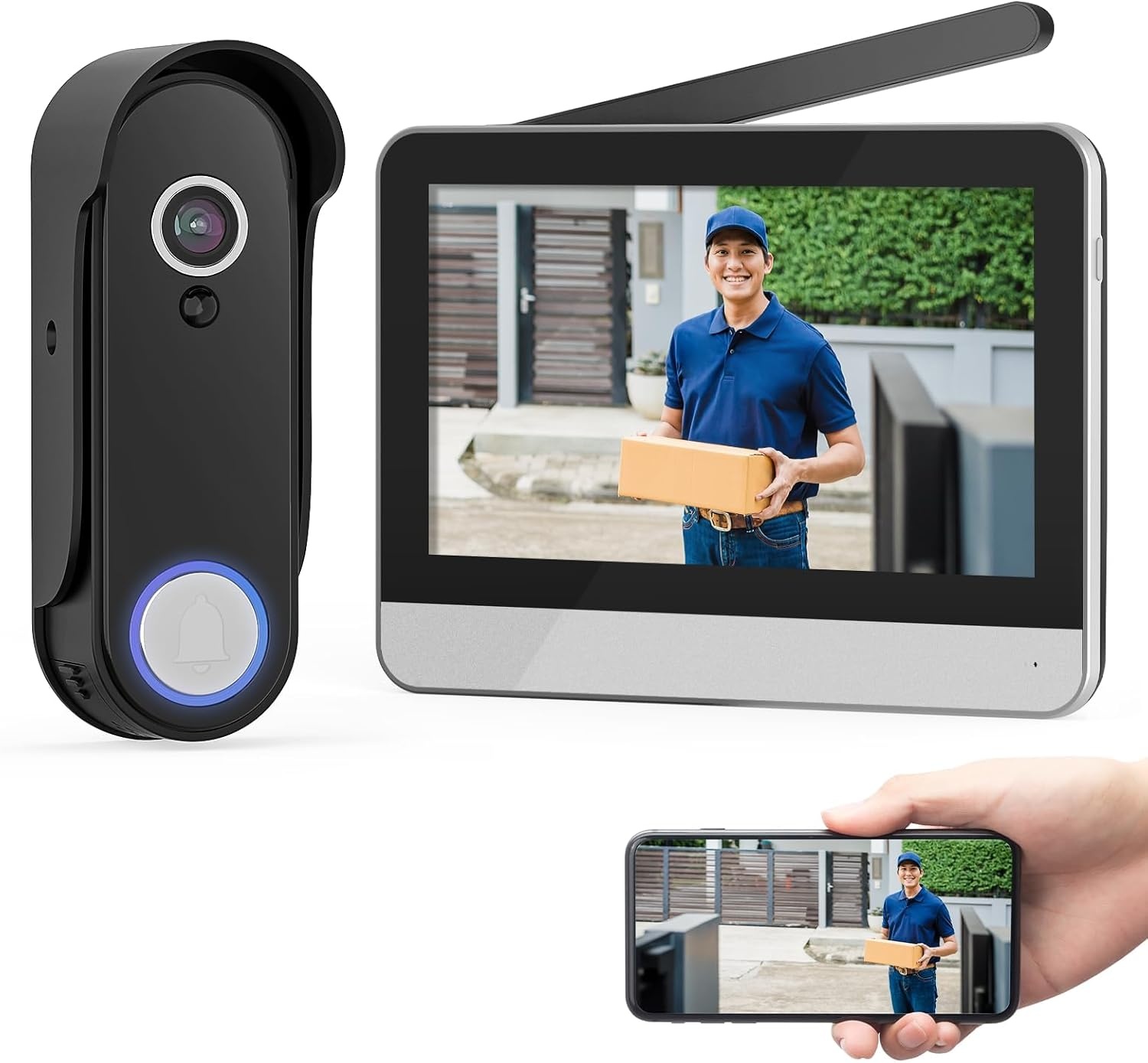
Front-door pick: Wireless Smart Video Doorbell System,7" Touchscreen Display,1080P Video Doorbell Camera with Motion Detection,2-Way Audio,Local Storage No Subscription, Easy Install Without Wiring
 Visit on Amazon →
This is the piece that answers the question the detective actually asked me. A doorbell camera lives at face height on the one spot every visitor has to walk through, which means it does not need to identify a face at 40 feet across a yard. It needs to identify a face at the doorstep, and 1080P is enough resolution for that job when the camera is mounted at the right height and angle.
The 7 inch touchscreen display is the part I did not expect to care about and now consider essential. It gives you an indoor monitor and chime, so you are not digging your phone out of a pocket with wet hands to see who rang. In practice that means the doorbell gets used, and a camera that gets used is worth more than a better camera that gets ignored.
Local storage with no subscription is the reason it is here. Motion detection and 2-way audio are standard for the category, and 2-way audio matters more than people admit, because being able to tell a delivery driver where to leave a package prevents the porch problem before it starts. The no-wiring install is what makes this a renter-friendly pick and what makes it a one-afternoon job for anyone who does not want to drill into siding.
Flaws but not dealbreakers: Doorbell cameras have one real weakness, and it is angle, not resolution. If your door sits in a recessed alcove, the camera can see the sidewalk and miss the person standing against the wall beside it. Walk your own approach before you commit to a bracket position.
Anyone who wants the front door covered without a subscription and without an electrician will get the most out of this one.
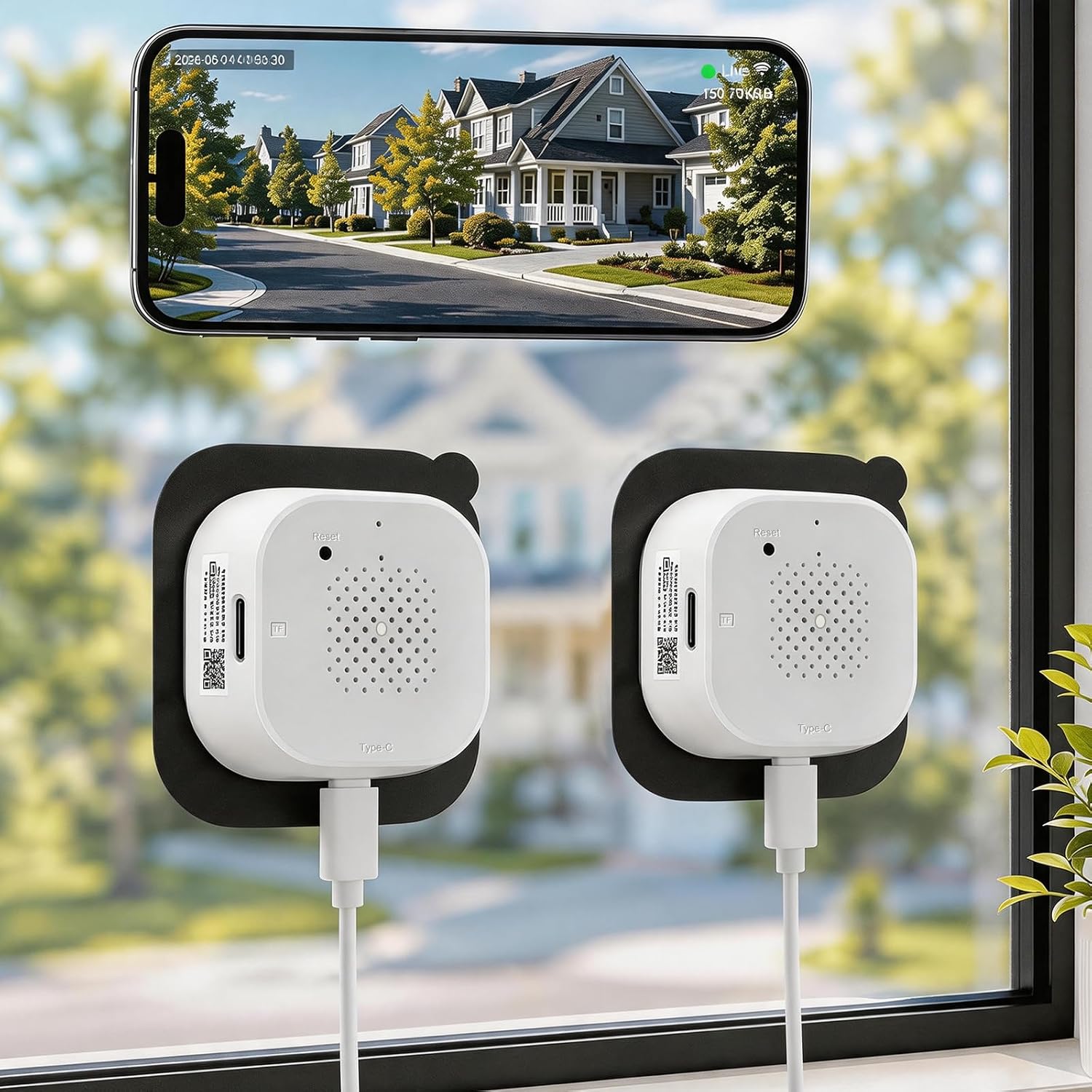
Window pick: (2 Pack) 2K 3MP Window Camera with Night Vision for Home Security
 Visit on Amazon →
This is the piece that covers the driveway, the side gate, and the yard, and it does it from inside the glass, which means no ladder, no exterior holes, and nothing a landlord can point at. The 2K 3MP sensor is the part that matters most for identification, because more pixels on a face at distance is the difference between a description and a guess.
Night vision is where window cameras live or die, and the mechanism is worth understanding before you mount anything. Infrared light bounces off glass. If the lens sits even a finger's width away from the pane, the illuminators light up the glass and bounce straight back into the sensor, and everything in the frame washes out into the blurry raccoon effect I know too well. Mounted flush, with the lens tight to the pane and no gap, the infrared passes through and lights the yard instead.
The two-pack is the right configuration for this job, not a spare. One camera covers the driveway or the street side, and the second covers the back gate or the side yard, which is exactly the geometry of my own garage break-in. One camera would have watched the raccoon. Two would have bracketed the approach.
Flaws but not dealbreakers: You are looking through your own glass, so a dirty pane, a screen, or a reflective interior film degrades the image before the camera ever gets a chance. Clean the inside of the window and shoot at night with the interior lights off before you blame the hardware.
Anyone in an apartment or a rental who cannot mount anything outdoors will get the most out of this pair.
The install, step by step
This is the part that decides whether you get evidence or decoration. Work through it in order.
Step one: pick the door first, not the camera. Stand outside your own front door and look at the approach the way a stranger would. Where do they walk? Where do they stop? That path is what your doorbell has to cover, and it is the anchor for everything else.
Step two: test your Wi-Fi where the camera will actually live, not where your router sits. Stand at the mounting spot with your phone and check the signal. A camera on a weak signal drops frames, and dropped frames are missing faces.
Step three: mount the doorbell at face height on the hinge side if the bracket allows. Mounted too high, you get the tops of heads and the brims of caps, and a hat brim is a face the police cannot use. Hinge side means the camera sees people coming before they reach the door rather than after they have turned away.
Step four: put the 7 inch display somewhere you walk past. A monitor in a hallway closet is a monitor you will never look at. Kitchen counter or entryway table, where you already drop your keys.
Step five: clean the inside of the window glass, then mount the window camera flush against the pane. Flush means no gap. If your mount leaves a gap, block it out until the lens is tight to the glass. This single detail is the difference between night vision and a white blur.
Step six: aim for faces, not for coverage. A camera pointed at the whole street identifies nobody. A camera pointed at the four feet of walkway where a person has to pass identifies everyone. Narrow the field until a human walking to your door fills a good portion of the frame.
Step seven: set detection zones and kill the street. Every alert for a passing car, a shadow, or a spider web is training you to ignore your phone. Draw the zone around your walkway and your driveway only. False alerts are not a quirk, they are a security failure, because a muted camera does not exist.
Step eight: turn on person detection and verify it at night. Person detection that only works in daylight is a daytime feature. Test it at 2 AM, in the dark, which is when break-ins actually happen.
Test it in week one, or don't bother
Here is the test I run on every camera on my fence, and you can run it on yours with a friend and a phone.
After dark, have someone walk toward the camera and stop at 10 feet, then 20, then 30. At each distance, pull the clip and ask the only question that matters: could a stranger identify this person from this frame? Write down the farthest distance where the answer is yes. That is your night identification range. Everything inside it is evidence. Everything past it is decoration, and you now know exactly where your coverage ends.
Then leave the system alone for seven days and count the false alerts. If you get more than a couple a night, your zones are too wide or your sensitivity is too high. Fix it before you stop trusting your own notifications.
What to skip, and why
Wired NVR kits are what I would put on my own house if I were allowed to drill, and the night vision is genuinely a different tier. They are also the wrong answer for a rental, a shared wall, or anyone who is not running cable through an attic. The best camera is the one you actually install.
Subscription-first doorbells are easy to recommend and hard to live with, because the hardware is the down payment and the monthly fee is the real price. If a doorbell cannot show you yesterday's clip without a plan, you are renting your own security.
Battery cameras pointed at the street are the false-alert factory of this category. If your only view of the sidewalk is from a camera that wakes on every passing car, you will mute it within a month.
What this all costs
The hardware is a one-time purchase on both pieces, and you can see the current numbers on each listing above. The recurring cost is zero, because both units record locally and neither one gates playback behind a plan. Over three years, the subscription math is simple: no plan means no monthly line item, which is the entire reason these two are in this guide and not something prettier.
The cost that does not show up on a listing is the afternoon you spend aiming. That is the part most people skip, and it is the part that turns two ordinary cameras into a system that hands a detective a face instead of a raccoon.
Do the install once, run the week-one test, log your night range in a notebook, and leave it alone. That is the job. Now go look at your own front door the way a stranger would.