The camera watching my garage the night someone pried open the side door recorded 22 minutes of a raccoon. When the detective asked for a face, I handed him a dark shape and an apology. Insurance watched the clip, agreed it was a raccoon, and denied most of the claim.
That night is why I stopped shopping for home security cameras without a subscription the way most people do, which is by scrolling a product page and comparing megapixels against the phrase crystal clear night vision. A camera is not really a product. It is a system with four parts: the sensor, the power source, the place the footage lands, and the thing that decides when to tell you. Get those four right and almost any competent camera does its job. Get them wrong and an expensive camera still hands the police a raccoon.
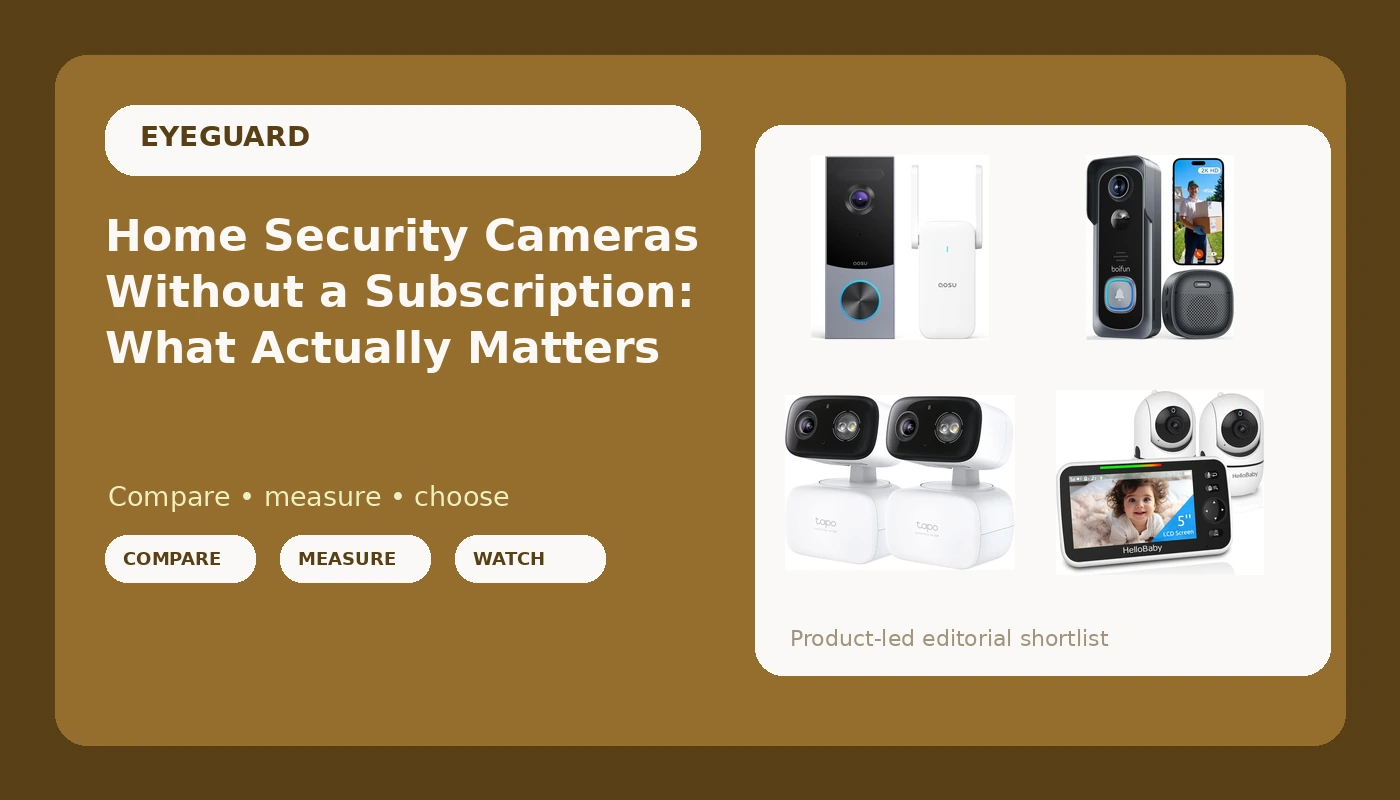
The four cameras below cover the jobs most houses actually have. Two are doorbells with genuinely different trade-offs. One is a wired pan and tilt pair built to run continuously. One is not a security camera at all, and that is the reason it belongs in this comparison.
Related: What a Security Camera Really Costs Over Three Years →
Quick answer
Match the camera to the job before you compare specifications. A wired pan and tilt camera is the most flexible single purchase, because it never needs a battery and can be re-aimed from a phone, which is what makes a two-pack useful for covering two sides of a property. A doorbell camera is the right tool for the front approach, where faces arrive at a predictable height and angle. A no-WiFi baby monitor solves a different problem entirely: it keeps a live view of a nursery off the internet and off your phone, which is a trade-off rather than a bonus. None of these four is the right camera for every house, and the decision comes down to where you want the footage to live and how much you are willing to pay every month to keep it there.
Four useful options
| Model | Best fit | What stands out |
|---|---|---|
| Tapo 2K Indoor/Outdoor Pan/Tilt Wired Security Camera, C216(2-Pack) | Continuous coverage in two locations | Two wired 2K pan and tilt cameras in one box, with no battery schedule |
| aosu 5MP Ultra HD Wireless & Wired Video Doorbell Camera | A front door where resolution matters most | 5MP sensor class and the option to install it wired or wirelessly |
| BOIFUN Video Doorbell Camera Wireless, No Subscription Required, 2K HD | Renters and anyone avoiding a monthly plan | 2K HD wireless doorbell the manufacturer lists as requiring no subscription |
| HelloBaby HB6550-2 5" Dual Camera Baby Monitor No WiFi, Pan Tilt Zoom | A nursery or room that should stay offline | Two cameras feeding one 5 inch monitor over a dedicated link with no WiFi |
Continuous coverage: Tapo 2K Indoor/Outdoor Pan/Tilt Wired Security Camera, C216(2-Pack)
The case for a wired camera is boring and decisive: it is always on. Battery cameras trade that away, and the trade shows up at the worst possible moment, usually the week you forget to charge one. A pan and tilt body adds a second advantage. A camera you can re-aim from your phone is a camera you will actually correct when you notice a blind spot, instead of leaving it wrong for a year because fixing it means finding the ladder.
Two details decide whether a camera like this earns its mount. The first is height. Around seven feet is the usual compromise between a downward angle that covers a path and a face that is still recognizable rather than a forehead. The second is infrared behavior. Cheap IR floods the near field and blows out anything close to the lens, which is the blurry raccoon effect in one sentence. Before you trust any camera with identification work, walk a person out to 20 feet after dark and look at the result on your own screen, not on a marketing page.
Front door, higher resolution: aosu 5MP Ultra HD Wireless & Wired Video Doorbell Camera
A doorbell camera sees what a fixed camera usually misses, because it is pointed at the one place where a person has to face the lens. Somebody walking up your steps is looking forward. Somebody crossing your driveway at 2 AM is looking sideways, and a side profile is much harder to identify than a front view. That geometry is the entire argument for a doorbell camera as your first purchase rather than your third.
The trade-off is where the resolution goes. More pixels at the door helps with faces and with reading a license plate at the curb, but it does nothing for the back fence. This is also where install decisions get real: a wired doorbell borrows power from existing chime wiring and never needs charging, while a wireless one installs in minutes and then asks for your attention every few weeks. Neither is wrong. They just fail in different ways, and the failure you can live with is the one you should pick.
Front door, no subscription: BOIFUN Video Doorbell Camera Wireless, No Subscription Required, 2K HD
The subscription is the real price. The hardware is the down payment. That sentence is the whole reason this doorbell is here, because a camera that costs nothing per month is a different product from one that costs a few dollars per month forever. Run the math honestly: a modest plan at a few dollars a month passes the hardware price within a couple of years, and you are still paying in year five.
So read a no-subscription claim carefully and ask what it actually guarantees. It usually means the camera functions and records without a paid plan, which is genuinely valuable. It rarely means unlimited history. Every no-subscription camera has a ceiling somewhere, whether that is the size of the card inside it, how many days of clips it keeps before overwriting, or which features stay locked behind an account. A card that holds a week of events is fine for most households. What is not fine is discovering the ceiling on the morning you need the footage, so find out where it is on day one and set your expectations to match.
Off-network nursery: HelloBaby HB6550-2 5" Dual Camera Baby Monitor No WiFi, Pan Tilt Zoom
This is not a security camera and should not be judged as one. It stores nothing worth subpoenaing, it does not alert you to a person at 30 feet, and it will not help you identify anyone. What it does is keep a live view of a room running on a dedicated link, with no account, no vendor, and no internet connection that could go down at 2 AM.
The trade-off is exactly that isolation. No WiFi means no checking in from a hotel room, no clips saved for later, and a hard range limit between camera and monitor. For a nursery, plenty of parents consider that a fair exchange: the feed exists only in the room and in your hand, and nothing about it lives on somebody else's server. If you want remote viewing, buy a WiFi camera and accept the account that comes with it. If you want the opposite, this is the shape that delivers it.
Prices and availability may change. Product images, names, and retailer links must be matched by verified ASIN. Do not state a current price, rating, stock status, or measured result without current evidence.
Where the footage actually lives
Every camera in this lineup ends up in one of four storage arrangements, and the arrangement matters more than the sensor.
On a card inside the camera. Simple, cheap, and offline by default. The footage stays in your house. The limits are capacity and fragility: cards overwrite, cards can be stolen along with the camera, and a camera that needs a subscription to replay a clip already sitting on your own card is a design failure, not a feature.
On a recorder you own. A network video recorder gives you continuous recording and days or weeks of history, and no vendor can quietly delete it. The cost is real: you are buying a box, a drive, and an afternoon of setup.
On a vendor's cloud. Convenient, searchable, and usually the thing you are actually paying for. It is also the arrangement where your footage sits on someone else's hardware and is subject to someone else's retention rules and legal requests. That is a legitimate choice for many people. It should be a conscious one.
Nowhere at all. A dedicated monitor link like the HelloBaby setup keeps a live picture and stores nothing. No history, no subscription, no cloud, and no evidence either. That is the honest description of the trade.
The reason I keep coming back to this is cost math. A camera at any price plus a monthly plan is a three-year commitment, and the plan usually wins the race. Before you buy, write down the hardware cost, the plan cost times 36, and the number of days of footage you get for it. If the last number is smaller than the first two, you are paying for convenience rather than coverage, and you should know that going in.
Five questions to answer before you mount anything
- What is this camera's single job? A doorbell watches the approach. A pan and tilt camera watches a yard or a garage. A monitor watches a room. One camera trying to do all three does none of them well.
- Where will the footage live, and how many days of it will exist? Answer with a number of days, not a word like cloud or local.
- What does the setup cost over three years, hardware plus any plan? Divide by 36 and compare that monthly figure against what you thought you were spending.
- Can it identify a face at 20 feet at night, or does it only detect motion? Those are different products with different prices, and only one of them helps after a break-in.
- Would I hand this clip to a detective and expect them to find someone? If the answer is no, the camera is a notification device, and it should be priced like one.
Practical guidance
- Mount high enough to see faces, not just scalps. Around seven feet is the usual compromise. Too low and people can reach it; too high and every face becomes the top of a head.
- Check the near field at night before you trust the far field. Infrared that lights up 50 feet often blows out everything inside 15 feet. Test a person at 10, 20, and 30 feet and watch the actual result.
- Set detection zones and sensitivity on day one. A camera that alerts on every passing car and spider web gets muted within a week, and a muted camera is not a camera.
- Plan power and network before you drill. Wired cameras need an outlet or a low voltage run. Wireless doorbells need a charge schedule. Neither problem is hard, but both are much harder after the holes are in the siding.
- Verify retention by pulling a clip. Open the app, find yesterday's event, and download it to your phone. If you cannot export it, you do not own it.
Which option should you choose?
Choose the Tapo 2K Indoor/Outdoor Pan/Tilt Wired Security Camera, C216(2-Pack) when you want continuous coverage in two places, you have power where the cameras go, and you would rather never think about a battery again. Choose the aosu 5MP Ultra HD Wireless & Wired Video Doorbell Camera when the front door is the priority and you want the most resolution at the point where faces actually face the lens, with the flexibility to wire it or not. Choose the BOIFUN Video Doorbell Camera Wireless, No Subscription Required, 2K HD when you want a doorbell without a monthly commitment and you are comfortable checking what its local storage ceiling looks like. Choose the HelloBaby HB6550-2 5" Dual Camera Baby Monitor No WiFi, Pan Tilt Zoom when the room you are watching should stay off the network entirely and remote viewing is not something you want.
Resolution figures, storage claims, and no-subscription language here come from how each product is described by its manufacturer. They are a starting point for your own comparison, not a substitute for it. The only night ID test that means anything is the one you run yourself, on your own driveway, with a person walking toward the camera at 20 feet.
The bottom line
The camera that fails you is rarely the cheapest one. It is the one pointed at the wrong place, recording to a plan you stopped paying for, alerting on raccoons until you turned notifications off. Fix the system first: pick the job, decide where the footage lives, and do the three-year math before you add anything to a cart. A wired pan and tilt pair covers the most ground for the money, a doorbell camera covers the one moment that matters most, and a no-WiFi monitor is the right answer when the room you are watching should never touch the internet. Get those three decisions right and the hardware almost stops mattering.