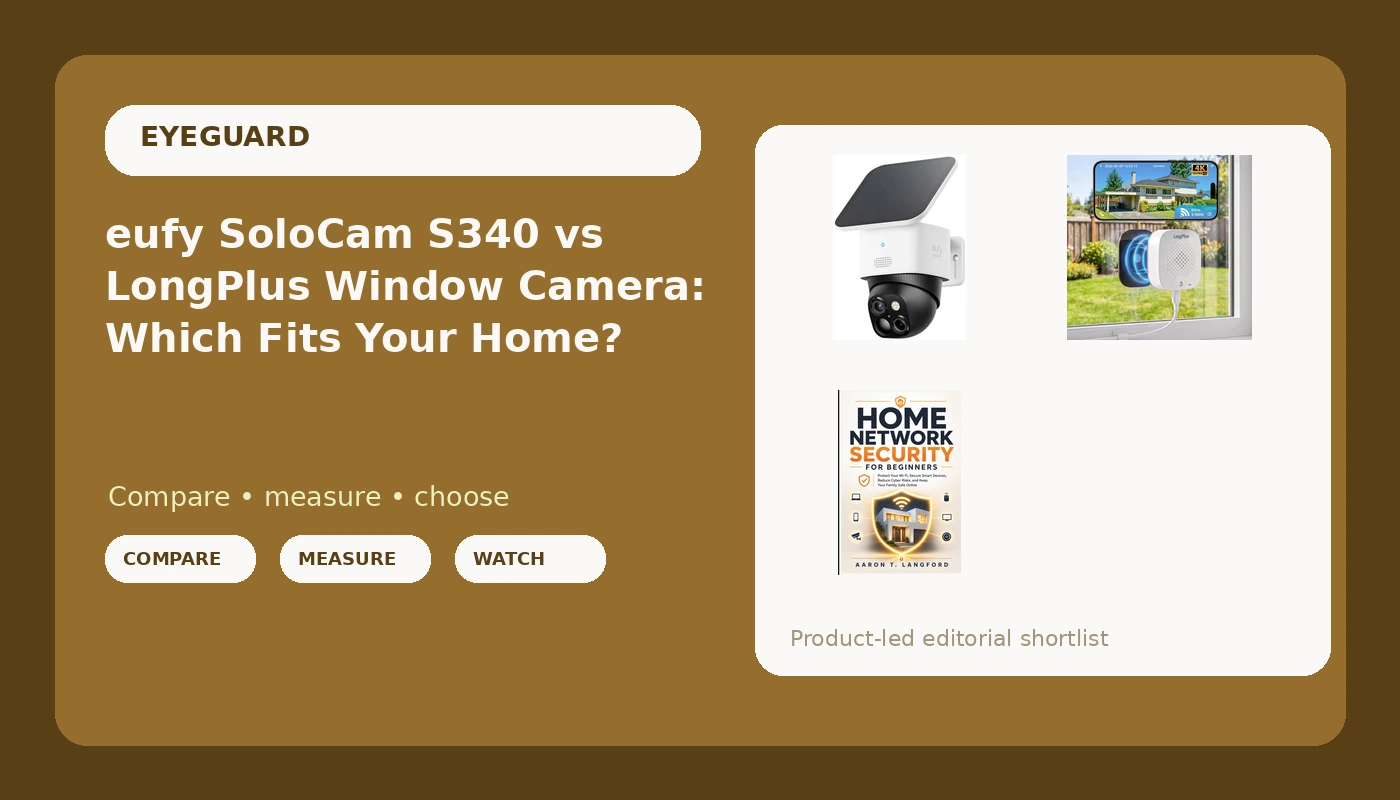
At 3:07 on a Tuesday morning last February, someone pried open the side door of my garage in Seattle and walked out with two bikes, a toolbox, and my late father's camping gear. The camera I had bought the week before from a deals email recorded 22 minutes of a blurry raccoon and one dark shape that never once became a face. The detective was polite about it. "No face, no case." Insurance watched the raccoon, asked a few follow-up questions, and denied most of the claim.
That night is why this site exists, and it is why this home security camera comparison is not organized around megapixels. Since then I have mounted cameras on my garage and my back fence, logged results in a notebook I call The Garage Log, and answered the same question from my neighborhood watch group about four times a week: which one should I actually buy?
Related: Night Vision Claims vs Night Vision Reality
The short answer: the eufy Security SoloCam S340 is the camera most homeowners should buy, because it is the one that gets installed and stays installed. The LongPlus 8MP 4K Window Camera is the right pick for renters and anyone whose only useful angle is through glass. And the third pick is not a camera at all. It is the book that closes the network hole both cameras live inside.
Three products, three different jobs. Comparing them on a spec sheet is mostly a waste of time, because they fail in completely different ways. One fails when the sun does not reach it. One fails when your own porch light reflects off a window pane. One fails when you never open it.
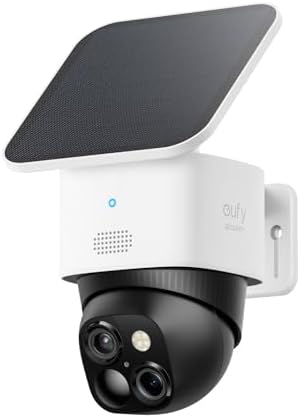
eufy Security SoloCam S340, 3K Dual-Lens Solar Security Camera
Solar power means no outlet, no extension cord, no cable run, which is the real reason most cameras never get mounted. Eufy is also the brand I point at when someone refuses to pay a monthly fee.
Solar means sun. A shaded wall or a north-facing door in a Seattle winter is a genuine problem, and dual-lens behavior is worth confirming on the listing for the exact model.
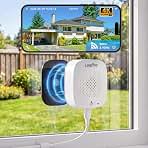
LongPlus 8MP 4K Window Camera WiFi 6 Safeview Window Security Camera
Glass is a filter. Interior light glare, infrared bounce off the pane, and a dirty window will cost you more image quality than resolution can buy back.

Home Network Security for Beginners: Protect Your Wi-Fi, Secure Smart Devices, Reduce Cyber Risks, and Keep Your Family Safe Online
It is a book. It records nothing, detects nothing, and does nothing at all until you sit down and change your router settings.
Prices and availability were captured from Amazon Creators API and may change.
What I check before I recommend any camera
Four questions, in order, every time.
One: can it identify a face at 20 feet at night, or does it only detect motion? Everything inside that distance is evidence. Everything past it is decoration. Marketing pages blur that line on purpose, and "crystal clear night vision" usually means the near field is blown out by infrared while the far field is a gray smear. When I run a camera through a full week of testing, targets go at 10, 20, 30, and 50 feet, and the only question that matters is whether a face comes out sharp enough to hand to a detective.
Two: what does it cost over three years, subscription included? The hardware is the down payment. If a camera cannot replay footage without a plan, the plan is the real price, and I will not call anything "no subscription" until the three-year math is written next to the hardware cost. This is the number that turns a cheap camera into an expensive one.
Three: where does the footage live, and who else can see it? Local storage means an SD card or an NVR in your house. Cloud storage means a vendor's server, a vendor's retention policy, and a vendor's answer to a legal request. My rule is local first, and cloud only as a backup I deliberately chose.
Four: will you actually install it? A $300 camera still sitting in the box loses to a $30 camera mounted correctly. This is the question that decides the eufy versus LongPlus decision for most people, because one of them wants a ladder and a sunny wall, and the other wants a clean window.
The eufy SoloCam S340: the camera that actually gets mounted
The name tells you a lot before you read another word of marketing copy: 3K resolution, dual lens, solar. Solar is the important part. No outlet, no extension cord, no fishing cable through a soffit, no calling an electrician. The single most common reason the camera someone bought in October is still in the box in January is that mounting it meant running power somewhere.
Eufy is also the brand I point at when someone tells me they will not pay a monthly fee. Local storage is genuinely the pitch with eufy, not a footnote added at the end of a spec page. The caveat I always attach: check the model carefully, because brand-level trust is not model-level trust. Some older eufy cameras had cloud access you could not fully lock down, so read the listing for the exact model in front of you and confirm what the storage situation looks like out of the box.
The honest trade-off with any solar camera, this one included, is that it needs sun. A north-facing wall in December is not a solar camera's friend, and a panel shaded by a cedar tree is a paperweight with a lens. Before you buy, walk outside around 2 PM and look at where the sun actually lands on your house. If the answer is "nowhere near the door I care about," a solar camera is the wrong tool, no matter how good the tool is.
Dual-lens designs in this category generally split the work between a wider view and a tighter one, which is useful when you want both the driveway and the door in frame. Confirm on the listing how the two lenses divide that job, and confirm whether you need to add anything for storage or whether it is included.
The LongPlus 8MP 4K Window Camera: the renter's answer
This one solves a problem the eufy cannot solve at all. It sits inside your house and looks out through the glass. That means no drilling, no screws into siding, no ladder, no permission from a landlord who does not return calls, and nothing to remove when you move out. For renters, apartment dwellers, condo owners with HOA rules, and anyone who wants a camera on a garage window or a sliding door facing a parking pad, that is a genuinely different product category, not a compromise version of the same thing.
The name carries the specs: 8MP, 4K, WiFi 6, and a window-mount design. Resolution is good. It is also the spec that matters least here, because a window camera's image quality is decided by physics long before it is decided by pixels.
Here is the part nobody tells you at checkout. Any camera shooting through glass fights two enemies. The first is your own interior lighting, which turns the pane into a mirror after dark. The second is infrared light bouncing straight back off the glass into the lens, which is how you get a glowing fog across the bottom of your clip. Neither problem is a brand defect. Both problems are placement problems, and both have the same fix: get the lens as close to the glass as physically possible, kill the lights behind it at night, clean the window on both sides, and consider blocking room light with a simple cardboard hood.
WiFi 6 is worth having if your router speaks WiFi 6. If your router is older, that spec is something you are paying for and not using, which is fine, but do not let it be the reason you choose this camera.
Do the week-one test that most people skip. Set it up, wait for full dark, and have someone stand outside at 20 feet while you watch the clip. If you cannot identify that person's face, move the camera, clean the glass, or turn off the porch light that is washing out the frame. Then do it again.
The third pick is a book, and it is not a downgrade
Home Network Security for Beginners is not a camera. It is also the purchase I would make first if I were starting over, and I say that as someone who owns too many cameras.
Here is the reasoning. Every camera in this comparison is a computer sitting on your home Wi-Fi with a login, a firmware version, and a vendor behind it. Cheap cameras are famous for weak defaults, and a camera that streams your driveway to a server with a password you never changed is not security. It is a window into your house with a blinking LED.
The book covers the layer underneath the hardware: protecting your Wi-Fi, securing smart devices, reducing cyber risk, and keeping your family safe online. That is the foundation the other two products stand on. If your network is the weak point, the fanciest camera on the block is just a better camera pointed at a house that anyone can watch.
The trade-off is obvious and I will not soften it. It records nothing. It detects no motion. It cannot tell you whether a face is identifiable at 20 feet. It requires you to actually do the work: change the router credentials, put smart devices on their own network, keep firmware updated, and know which devices are on your network in the first place. If you will not do that work, this is a paperweight like any other. But it is the cheapest item in this comparison and the one that makes the other two harder to abuse.
The trade-offs nobody puts in the listing
Subscription math. Price the three-year total, not the sticker. Hardware plus any plan you need in order to replay footage is the real number, and it is usually several times the price on the product page. I do this math before I recommend anything, and I print it next to the hardware price, because "free" and "no subscription" are words that need receipts.
Where the footage lives. Local storage means the clip is in your house. Cloud storage means it is somewhere else, under someone else's retention rules. Ask yourself a simple question: if something goes missing and you hand over a clip, who else could quietly delete it before it matters? If you cannot answer that, you do not know where your footage lives.
False alerts. A camera that alerts on every passing car, every shadow, and every spider web is a camera you will mute within two weeks. A muted camera is not security. Whatever you buy, spend the first evening tuning detection zones and sensitivity, and count your false alerts for a full week before you decide the camera is good.
Installation reality. This is the tiebreaker in almost every comparison. The best camera is the one that is mounted and running. If a solar panel will never see sun on your wall, or if you cannot bring yourself to drill into rented siding, the "better" camera is the wrong camera for you.
Who should buy what
You own the house, you have a sunny spot, and you will not pay a monthly fee. Buy the eufy Security SoloCam S340. Mount it high, point it at the door or driveway you actually worry about, and confirm the storage setup for the exact model before you order.
You rent, or your best angle is through a window or sliding door. Buy the LongPlus 8MP 4K Window Camera. Then spend an evening on placement, because the glass will punish you for aiming it carelessly and reward you for getting it close to the pane.
You have more than one smart device on your Wi-Fi. Buy Home Network Security for Beginners. It is the least exciting purchase in this article and probably the one that changes the most about how safe your house actually is.
If you can only do one thing this month, do the cheapest one and do it properly. Then buy the camera, mount it where the light is good, and test it at night with a real person standing at 20 feet.
What I keep coming back to
The detective did not ask me what resolution my camera recorded at. He asked for a face, and I gave him a raccoon. That is the whole lesson, and it applies to every product in this comparison.
A camera is not a purchase, it is a project. It needs power or sun, a clean sightline, a network that is not wide open, and about 20 minutes of tuning you will not want to do. Do those things and a mid-range camera will beat a flagship that is still in the box. Skip them and you have bought yourself a blinking LED, which is exactly what I had on my garage wall at 3:07 in the morning.